


The News-Press
3.573.00 Reviews
App Specs
- Version
- 8.10.3
- Updated On
- License
- Free
- Downloads
- 10,000+
- Developer
- USA TODAY Co.
- Categories
- News & Magazines
- Platform
- Android
Screenshots
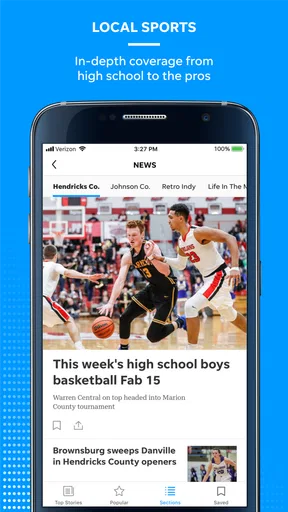
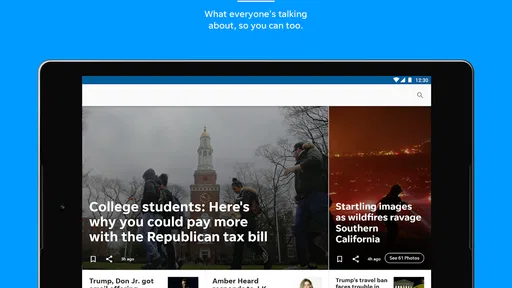
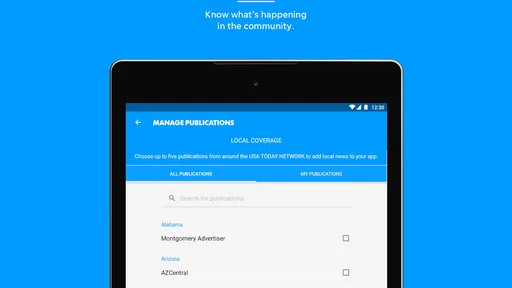
 Analysis by AppCompare
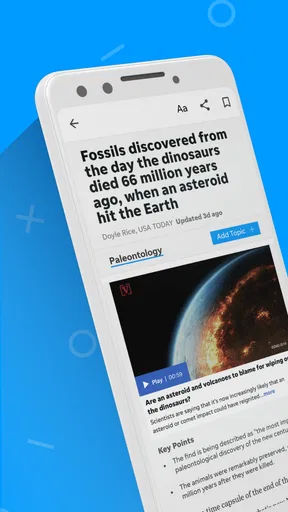
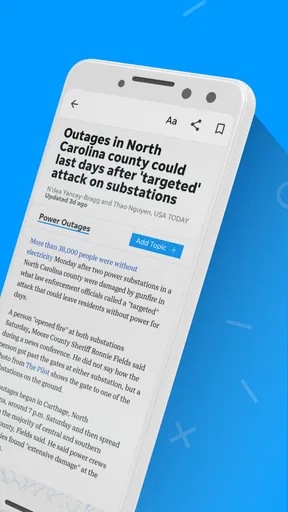
I approached The News-Press as a practical news-reading app rather than a full replacement for every source I use during the day. It comes from USA TODAY Co. and sits in the News & Magazines category, with a focus on regional and national reporting, photography, and video. That combination makes it most appealing when I want a quick view of what is happening around me without opening several unrelated apps.
The app is free to install, which makes trying it fairly easy, although optional in-app purchases range from about twenty dollars to nearly seventy dollars per item. Its age rating is Everyone 10+, and the current release is version 8.10.3. Those details matter because this is not simply a lightweight headline reader: the news mix, visual material, and account or purchase considerations can affect how useful it feels over a longer period.
How The News-Press feels during an ordinary news routine
My preferred way to use it is in short sessions. I might open it with coffee, scan the main headlines, check a local story, and return later when something important develops. That workflow suits the app better than treating it like a newspaper I must read from beginning to end. The presentation is built around quick discovery, so I can decide which stories deserve attention instead of committing to a long reading session immediately.
The local angle is the main reason I would choose it over a broad national news app. National services can give me more variety, but they often make nearby developments feel like an afterthought. Here, the regional identity gives the reading experience a clearer purpose. If I care about events, public issues, or community news in the area covered by The News-Press, that focus can save time.
At the same time, I would not install it expecting a complete replacement for a wire-service app, a television news app, or a dedicated publication covering a specialized subject. The News-Press is more useful as a focused source in my daily rotation. I get the most value when I use it to stay oriented, then open a longer article or another source when I need extensive background.
Speed expectations: quick checks work better than long sessions
Perceived speed in a news app depends on more than how quickly the first screen appears. Headlines are usually the part I want immediately, while photographs and video naturally require more attention from the device and connection. In practice, I judge the app by whether it lets me identify worthwhile stories without making me wait through unnecessary steps. That is where a publication-focused app can feel more efficient than browsing a general web page.
The visual material changes the rhythm. A text-heavy reader can feel instant because it asks less of the phone, while a story with large images or video may take longer before it feels fully ready. I see that as a trade-off rather than an automatic flaw. The photography gives local stories more context, but readers who only want compact headlines may prefer a simpler news feed.
Worth Reading Before You Choose

EA SPORTS FC Mobile 26 Is a Bigger Football Game, but It Takes Time

Flipboard Shows What News Apps Must Do Beyond the Feed

Switching to Android Auto Means Rethinking Your Driving Routine

Google Calendar Makes a Crowded Week Easier to Manage

Ludo King Makes the Most of the Minutes Between Plans

Baby Panda World Brings Quick Play to Modern Phones, but Its Game Library Feels Busy
A useful habit is to separate scanning from watching. I first look through the headlines and save my attention for the stories that genuinely need a closer read. This keeps the app feeling responsive during a short break and avoids turning every visit into a media-heavy session. It is a small change, but it makes a noticeable difference when I am checking news on a busy morning.
The best speed advantage is the app’s focused workflow, not an expectation that every piece of media will behave like plain text. If I open it mainly to scan local developments, it feels more purposeful than jumping between browser tabs. If I open it for repeated video viewing, the experience depends much more on the phone and network than on the headline list itself.
Heavy-use moments: where photos, video, and repeated checking matter
The most demanding use case is a developing story that I revisit several times while also opening visual content. For example, during a major local event, I might check the lead story, return to the main feed, open a related report, and watch a video. That pattern places more pressure on loading, memory, and battery than a single reading session. It is also the situation in which I notice whether an app can return me to the story without making me reconstruct my path.
My recommendation is to avoid keeping several media-rich stories open at once. I read one article, finish the video if it is relevant, and then return to the feed. This is not a limitation unique to this publication, but it is particularly sensible here because the app’s appeal includes photography and video rather than headlines alone. The more visual content I consume, the less fair it is to judge the app by the standards of a minimal text reader.
Another realistic scenario is commuting or waiting in a queue. I may have only a few minutes, so I want the first screen to help me decide quickly. The News-Press works well in that role when I treat it as a briefing tool. I would not rely on a short visit to understand a complicated issue fully, but I can identify what deserves a deeper read later.
For people who follow one local subject closely, repeated checking can be useful but also slightly inefficient if they expect a specialized alert system or a deep archive workflow. I would use the app to catch the latest coverage, then organize important material elsewhere if I needed a long-term research record. That distinction keeps expectations realistic: this is a news-reading destination, not a personal knowledge-management system.
Reliability and recovery after interruptions
News apps are judged harshly when an interruption loses the article I was reading. Calls, notifications, low memory, and ordinary multitasking can all break a session. With The News-Press, I find the safest approach is to treat the main feed as my anchor. If I leave a story and return later, I start from the current news view rather than assuming every reading position will be preserved exactly as I left it.
That habit is especially useful during fast-moving coverage. A story can change while I am away, so reopening the current feed may actually be preferable to returning to an old screen. The downside is that readers who want a perfect “resume where I stopped” experience may find this less predictable than a dedicated reading app. I value freshness more than a guaranteed reading position, but not everyone will make the same choice.
When the app does not immediately feel ready after an interruption, I avoid repeatedly tapping the same story. I return to the main screen, give the feed a moment, and then open the article again. This simple recovery pattern reduces confusion and helps distinguish a temporary loading pause from a genuine problem. It is also kinder to the phone than rapidly opening and closing several media-heavy pages.
Stability is more than avoiding crashes. It includes whether navigation remains understandable, whether visual content behaves consistently, and whether I can recover without losing track of the news. On those terms, the app is most dependable when I use it in short, deliberate steps. I would be more cautious about making it my only source during an urgent event, because no single app should be the sole channel for information that affects immediate decisions.
Device constraints and the older-phone question
The News-Press supports devices running Android 8.0 or later. That gives it a reasonably broad reach, but compatibility alone does not tell me how comfortable it will be on every supported phone. A newer device with a strong connection should have an easier time handling photography and video than an older model with limited storage, memory, or battery health.
On an older compatible phone, I would keep expectations modest. Headline scanning should be the least demanding activity, while repeated video playback and rapid navigation are more likely to expose limitations. If the device already struggles with other media-rich apps, this publication may feel heavier than a plain browser page or a text-first news reader, even though both can display similar headlines.
People using smaller screens should also think about reading style. The app’s visual presentation can be helpful for discovering stories, but it may not be ideal for someone who wants dense text and minimal movement. I prefer a larger screen when I plan to read several articles, while a phone is perfectly adequate for a quick local update. That is a practical device choice rather than a reason to dismiss the app.
Storage and data habits deserve attention too. I would avoid leaving video playing in the background and would use a stable connection for longer viewing sessions. The free installation lowers the barrier to testing it on a spare or older device, but the optional purchases mean I would still review any payment screen carefully before confirming anything. The app’s free entry point is convenient; it should not be confused with every part of the experience being free.
The audience rating of Everyone 10+ also makes it a reasonable household news option for older children and adults, but news topics can still vary in seriousness. I would not assume an age label removes the need for parental judgment. Families should decide whether the day’s coverage is suitable, especially when stories include distressing events or strong imagery.
What it offers compared with common alternatives
Compared with reading The News-Press through a mobile browser, the app gives the publication a more direct place on my phone. I do not need to begin with a search or sort through unrelated browser tabs. That convenience is valuable for a publication I check regularly. The browser remains the better choice for occasional visitors who do not want another installed app or who prefer keeping all sources in one place.
Compared with a large national news aggregator, The News-Press feels narrower but more intentional. Aggregators are better when I want many viewpoints and subjects in one stream. This app is better when local coverage is the reason I opened my phone in the first place. I would not choose between them as if one had to replace the other; I would use the aggregator for breadth and this app for a more specific regional connection.
Compared with a text-only headline reader, the app’s photography and video add atmosphere and context. That is valuable for visual stories, but it also means more potential friction for people who want the lowest possible data use and the fastest possible scan. The right choice depends on whether visual reporting improves the way you understand the news or simply gets in the way.
The average rating is 3.5 from around 160 ratings, with roughly 73 written reviews, and the app has passed 10 thousand installs. I read those figures as a sign that the experience is useful to a defined audience but not universally loved. The numbers do not change my own conclusion: local relevance is the deciding factor. Someone outside the publication’s natural audience may find a broader service more worthwhile, regardless of the app’s media presentation.
Who should use it, and who should skip it
I would recommend The News-Press to readers who want a convenient local news habit, appreciate stories supported by strong photography or video, and prefer opening one publication rather than searching the web each time. It is also a sensible option for someone who wants national coverage alongside a regional perspective, as long as “alongside” is the expectation rather than “everything I will ever need.”
I would be less enthusiastic for people who want a completely distraction-free reading tool, a highly specialized subject feed, or a single dashboard combining many publications. Those readers may be happier with a text-first reader, an aggregator, or the browser. I would also suggest caution for anyone using an older phone that already struggles with media-rich pages. The app can still be worth testing, but the headline experience is likely to suit them better than extended video sessions.
For a daily routine, I would install it, spend a few days checking the local feed at the same time each morning, and then decide whether its coverage earns a permanent place on the phone. I would not judge it from one slow story or one excellent video. The real test is whether it helps me understand my local news faster and with less effort than my current combination of browser bookmarks and national apps.
Performance verdict and overall recommendation
My final view is positive but specific. The News-Press is a focused news app whose strongest performance comes from quick local check-ins, clear story discovery, and visual reporting. It is less compelling as an all-purpose news command center or as a lightweight text-only reader. The app’s demands rise when I repeatedly open photographs and video, so the phone, connection, and reading habits all shape the experience.
USA TODAY Co. has made a free publication app that is easiest to recommend to people who genuinely value the coverage it gathers. The optional purchases, priced from about twenty dollars to nearly seventy dollars per item, are another reason I would read each offer carefully rather than assume the free install covers every possible use. That does not undermine the app’s basic usefulness, but it makes an informed setup worthwhile.
In everyday use, I would keep it for morning scanning, local developments, and occasional deeper reading. I would pair it with another source when I need broader comparison, specialist reporting, or a more durable research workflow. If that sounds like the way you already consume news, this app is worth trying. If you want one ultra-fast, minimal, universal feed, I would choose a different tool.
My recommendation is to use The News-Press as a local-first part of a wider news routine. It earns that place through relevance and presentation, while its media content and device demands make a measured, selective workflow more satisfying than constant, heavy browsing.
Pros
- Covers Fort Myers and Southwest Florida news with strong local focus.
- Includes local sports
- weather
- traffic
- and community updates in one app.
- Breaking-news alerts help users stay informed about important regional events.
- Digital access makes the newspaper available while traveling or away from home.
- Offers coverage of local issues often missed by national news applications.
Cons
- Some articles or features may require a paid subscription or account.
- Push notifications can feel frequent if many alert categories are enabled.
- Content is less useful for readers outside the Southwest Florida region.
- App performance and loading times may vary with connection quality.
- Advertising can take up screen space and interrupt the reading experience.
FAQs for The News-Press
What is The News-Press app used for?
The News-Press app provides access to local and regional news, including breaking stories, community updates, politics, sports, entertainment, business, and lifestyle coverage. It is designed for readers who want to follow developments in their area from a mobile device. After installing it, users can browse sections, read individual articles, and keep up with important updates without relying only on the printed newspaper.
Is The News-Press app free to download and use?
The News-Press app can generally be downloaded at no cost from the relevant app store, but free installation does not necessarily mean that every article is available without restrictions. Some content may require a subscription, account, or sign-in, particularly when users reach a monthly article limit. Before downloading, check the current subscription terms, available trial offers, and whether your existing newspaper membership includes digital access.
Does The News-Press require a subscription?
A subscription may be required to access unlimited articles or premium digital features. The exact arrangement can depend on the current plan, promotional offer, and whether you already subscribe to The News-Press through another channel. Casual visitors may be able to read a limited number of stories, while frequent readers should review the pricing, renewal conditions, and account requirements before committing to a paid plan.
What features are available in The News-Press app?
The app typically allows readers to move between news categories, open full articles, view photographs, and receive notifications about significant local or breaking events. Depending on the version and subscription status, it may also include saved stories, personalized content, e-edition access, or account management tools. Features can change after updates, so the experience may differ slightly between Android and iOS devices.
Can I use The News-Press app offline or receive breaking-news alerts?
The News-Press is primarily intended for connected reading, so an internet connection is normally needed to load current articles and refresh the latest information. Some previously opened content may remain temporarily available through device caching, but this should not be treated as a full offline mode. Users can usually manage push notifications in the app or device settings, choosing whether to receive breaking-news and other alerts.


